 DTechnology DTechnology – Software Tutorials, Game Tips and Reviews
I know it’s too late but…nevermind.
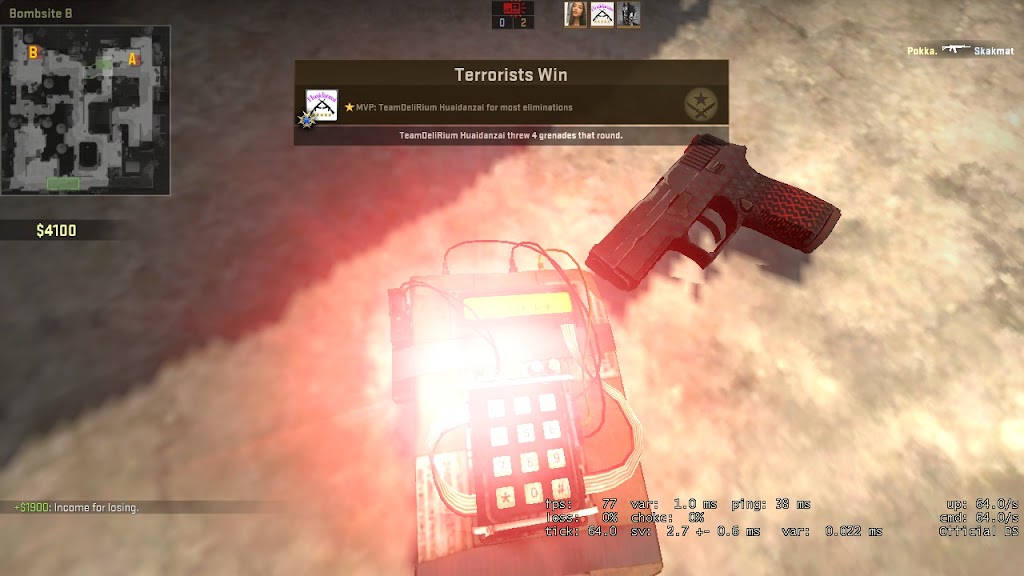
So at 7 December 2016 valve were introduced a new audio feature designed to substantially improve positional audio in CS:GO. The game now uses HRTF (head-related transfer function) algorithms to enhance 360-degree vertical and horizontal sound positioning while using headphones.
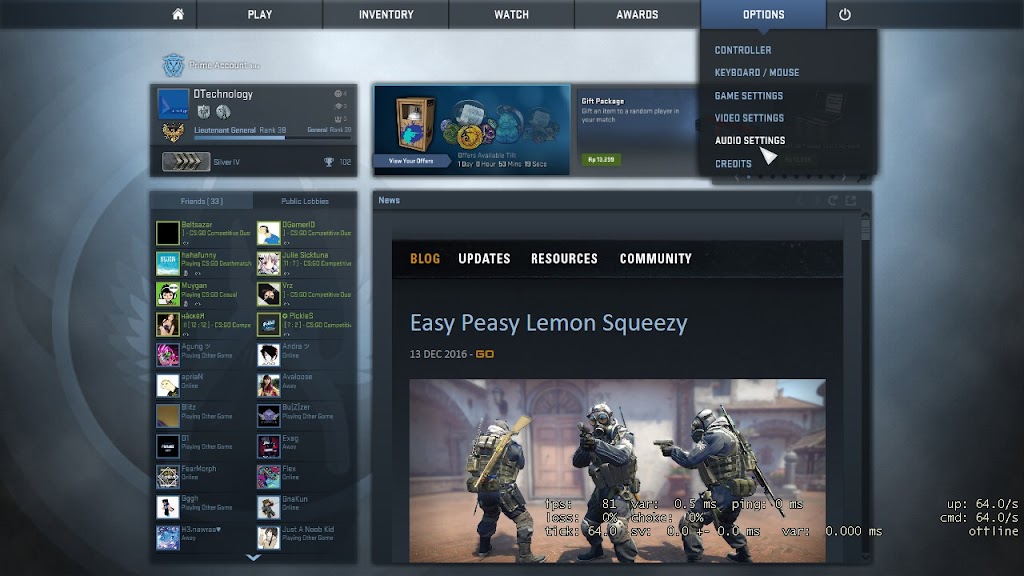
In other news, they’ve made an adjustment to Steam Group lobbies, now labeled “Public Lobbies.” In addition to your Steam Group Lobbies, the tab will show nearby public joinable lobbies. If you’d like to broadcast your lobby to nearby players, you can adjust permissions in your Play With Friends lobby.
It’s great update released by the developer.But for some reason,this update also make our fps dropped (not every people).HRTF is a cool stuff,this give you more accurate sound but it still have some bug like sound when you release your silencer in M4A1-S or USP-S,also make our CPU work more harder to handle this feature.
So…today I’m going to show you how to fix csgo fps drop problem after ‘Holiday Update’.My normal fps before this update was around 70FPS and after this update dropped untill 20FPS,after follow this guide I got around 60FPS.Atleast it’s better than 20FPS because … you know playing realtime fps game with 20fps is very annoying and make this game uncomfortable.

Ignore My Ping Man!!!
So here it’s :
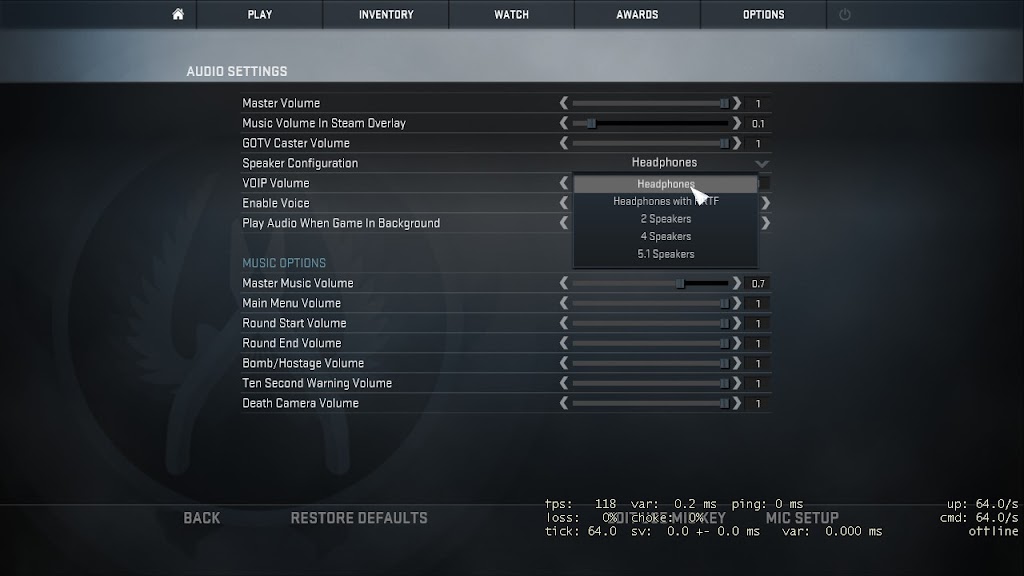
- Go to your ingame Settings > Audio Settings

- Set your sound from HRTF to Headset
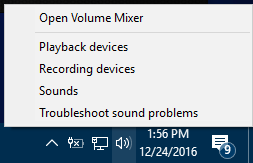
- Go to Sound Settings
You can go through search bar or right sound icon in taskbar and select Playback devices

- Click your default speaker and then click properties
(Default speaker have green check mark)
- Go to Advanced tab
- Set Default format to 16bit,44100Hz (CD Quality)
and uncheck Allow application to make exclusive control of this device
- Click Ok
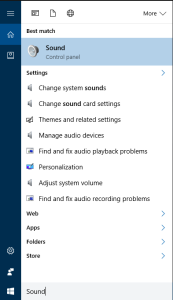
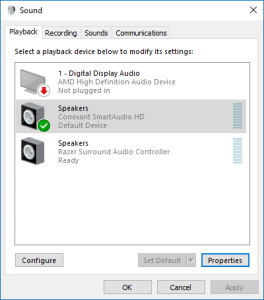
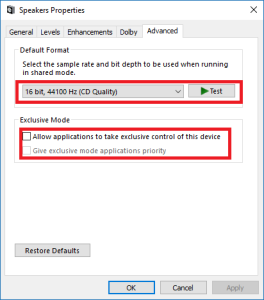
- Optional
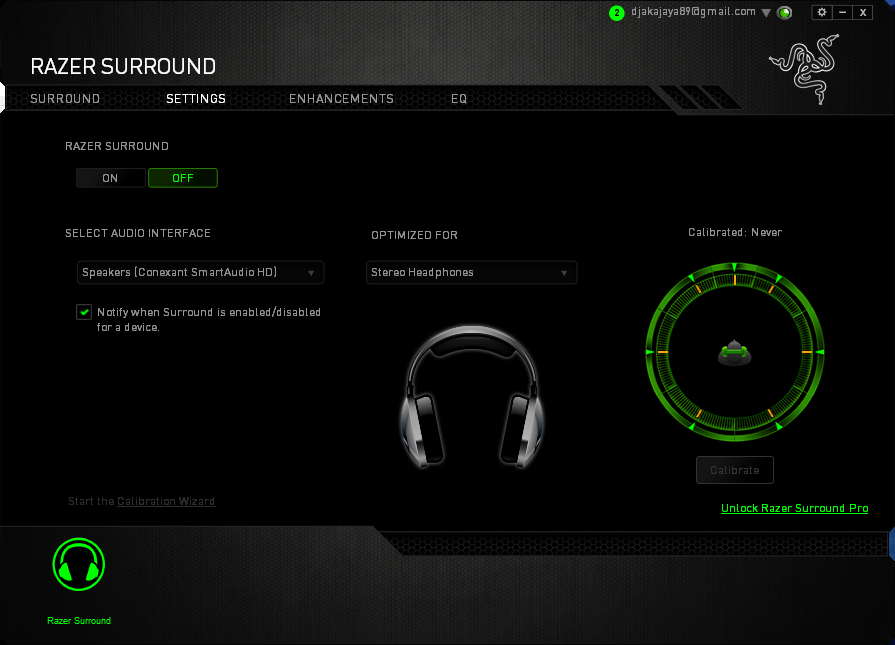
If you have app like Razer Surround or something like that,you can disable it when you will play CS:GOThis guide may not work in some pc but it’s worked for me and some user and my friend.
Hope You like it
VIdeo tutor ny donk perdjaka
kok Csgo w malah gabisa di buka yha
lu gblk seh
di yt dah banyak
All the contents you mentioned in post is too good and can be very useful. I will keep it in mind, thanks for sharing the information keep updating, looking forward for more posts.Thanks trade csgo skins